At a Glance
Most issues with the Luna G3 Auto-CPAP, such as air leaks, dryness, rainout, pressure discomfort, or connectivity problems, can be resolved with simple troubleshooting steps. Features like heated humidification, ramp settings, and exhalation relief may help improve comfort and therapy adherence. Regular cleaning, maintenance, and timely replacement of parts and supplies can also help prevent problems by keeping the device working properly.
Even a small issue with your CPAP machine can make it harder to sleep comfortably and get the full benefits of therapy. The Luna G3 Auto-CPAP machine includes several features designed to improve comfort and simplify therapy, but users may still encounter common issues such as mask leaks, dryness, or pressure discomfort.
Below, we’ll explain how to troubleshoot common Luna G3 issues and share tips to help you get the most out of your CPAP therapy.
Having Issues With Your CPAP? Fix Your Setup
Many CPAP problems come down to the wrong machine, mask, or settings. Sleep Doctor helps you find a setup that works.
Common Luna G3 Auto-CPAP Problems
Like any CPAP device, the Luna G3 may occasionally experience issues that affect comfort, performance, or data tracking. Fortunately, most issues can be addressed with standard CPAP troubleshooting techniques.
Mask Fit and Air Leaks
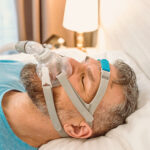
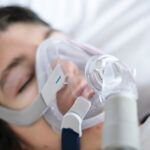
It’s essential to have a mask that fits snugly and forms a good seal. Any mask leak can affect the air pressure and cause uncomfortable side effects like chafed skin, dry eyes, or the reappearance of sleep apnea symptoms.
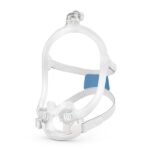
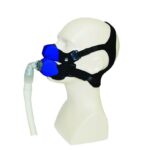
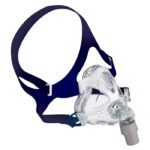
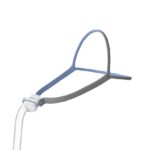
The exact adjustments you’ll need to make will depend on your mask model. The Luna G3 allows you to state whether you’re using a nasal mask, nasal pillows, or full-face mask. You can perform a mask-fitting test in which the machine will display a “need to adjust” icon if your mask isn’t on right.
To adjust your mask, first try adjusting the cushions and tightening or loosening the headgear as needed. CPAP masks are designed to fit snugly without being too tight. Check the cushions to make sure they haven’t stiffened with age, and consider wearing a mask liner if the mask texture irritates your skin. If you’re still not able to secure a good fit, you may need to change masks or mask sizes.
Dryness or Nasal Congestion
Breathing in pressurized air from the CPAP machine can cause a dry, stuffy nose. If this happens to you while using the Luna G3, try turning on the integrated heated humidifier.
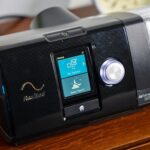
Use the knob to scroll between the five humidity levels displayed on the screen, with the option for preheating the humidifier for up to 30 minutes. Turn up the humidity if you experience a dry mouth or nose, and turn down the humidity if you’re getting condensation collecting in the tubing. Always make sure to fill the water tank before turning on the humidifier.
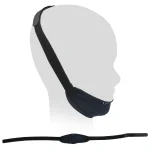
Dry mouth may also be due to breathing through your mouth. If that’s the case, try using a chin strap to keep your mouth shut or switching to a full-face mask.
Rainout
If your bedroom is on the cooler side, warm, moist air from the Luna G3 device can trigger condensation along the tubing. Called “rainout,” this can be uncomfortable if it drips down into your mask. You can get rid of rainout by removing the tubing and shaking out the moisture. To avoid rainout in general, turn down the humidifier or use the optional heated tubing for the Luna G3.
Pressure Discomfort
It’s normal to take a few nights to feel comfortable breathing with CPAP, especially when breathing out against the incoming airflow. Your healthcare provider can suggest tips to smooth the transition, and the Luna G3 offers some helpful features.
- Ramp: The ramp feature gradually increases air pressure over a set period of time, usually 45 to 60 minutes, adjustable in 5-minute increments. You can manually trigger the ramp whenever you feel like having lower pressure to help you get to sleep.
- Expiratory pressure relief: The Luna G3 has an expiratory pressure relief option called Reslex, which lowers the pressure when you’re breathing out. You can choose between three levels.
- SmartC and SmartA: SmartC and SmartA offer enhanced pressure adjustments. If you select this option, you’ll see an “S” displayed at the top of the screen.
If none of these features help, talk to your doctor as your general pressure settings may be too high. Never attempt to adjust your pressure settings on your own.
Noise or Unusual Sounds
Under normal working conditions, the Luna G3 should produce a faint whooshing noise of about 28 decibels, similar to a whisper. If your CPAP sounds louder than normal, try reattaching the tubing connections or check if there are other holes in the circuit where air could be escaping.
If the machine continues to make a noise that is louder or different than usual, stop using it and tell your doctor. You may need to get it fixed by a professional.
Data Tracking
The Luna G3 tracks certain data while you sleep, such as the number of breathing pauses (apneas and hypopneas) and your usage time. You can access the data by using the knob to navigate to the icon that looks like a line graph.
You can also access your data through the React Health PLUS smartphone app or by scanning a QR code, downloading the data from the SD card, or using the cellular modem to send the data to the cloud.
From the iCodeConnect platform, your healthcare provider can easily access the data to analyze if the CPAP therapy is working well for you and ensure that you meet compliance requirements for insurance.
Connectivity Issues
The cellular module needs a strong signal to be able to transmit data. To avoid problems with the cellular module, make sure the machine isn’t too close to other electronic devices, such as TVs, computers, or radios.
Similarly, for the SD card to capture the data, it must be properly inserted in the SD card slot. If you don’t see the SD card icon on the main screen or if it has a red X over it, it’s not properly inserted. To remove and re-insert the SD card, first turn off the airflow.
Alerts and Error Messages
The Luna G3 emits a series of alerts when there are issues that need your attention. You’ll hear a notification and see a corresponding message in the case of:
- Lack of airflow
- Excessive leak
- Wrong voltage
- Humidifier failure
- Full SD card
- Improperly inserted SD card
- Power failure when the CPAP is in use (no screen message for this one)
You can also set reminders so the machine notifies you when it’s time to replace the filter, tubing, or mask.

Setup and Maintenance Tips to Prevent Problems
Following the Luna G3 manufacturer guidelines as listed in the user manual can help ensure your CPAP machine runs safely and smoothly.
- To protect the Luna G3 from damage, place it on a firm, flat surface lower than your head and keep it away from water.
- Avoid using the machine in extreme humidity or heat above 95 degrees Fahrenheit (35 degrees Celcius).
- Before using your machine, inspect it for cracks or other signs of damage.
- Follow the stated voltage range and replace the power cord as soon as it shows signs of damage.
- Check the tubes for obstructions.
- If the airflow is too hot, try replacing the filter or clearing more space around the air intake.
It’s important to keep your CPAP machine and accessories clean in order to lower the risk of illness and prolong the lifespan of your equipment. Certain parts also need to be replaced periodically, as they’re subjected to wear-and-tear from nightly use. Tubing may crack, filters may get clogged, and mask cushions may stiffen and allow air leaks.
The Luna G3 user guide states the recommended replacement schedules for the parts that correspond to the machine. Check your mask user guide for the cushion, frame, and headgear replacement schedules.
| CPAP Part | Recommended Replacement Schedule |
| Filters (reusable) | Every 6 months, or sooner if visibly dirty or torn |
| Filters (disposable) | Every 2 weeks, or sooner if visibly dirty or torn |
| Tubing | Every 6 months, or sooner if cracked |
| Humidifier water chamber | Every 6 months |
| CPAP machine | Every 5 years |
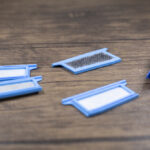
To install the reusable filters, unplug the machine, attach the filter to the filter cap, and slot the set into the machine. The Luna G3 also offers the option of disposable fine filters to catch smaller particles. These should be placed next to the reusable filter on the side closest to the CPAP machine.
Warranty and Support Options
React Health provides a 2-year limited warranty for workmanship and manufacturing defects for the actual CPAP device, and a limited 3-month warranty for the accessories. React Health will decide whether to repair or replace defective parts and cover transport costs to the location of the dealer that sold the machine.
Damage as a result of abuse, misuse, accidents such as falls or spills, or unauthorized tampering with the machine is not covered.
If your machine is faulty, you can get in touch with your durable medical equipment (DME) provider or contact React Health.
Frequently Asked Questions
Your healthcare provider will set the ideal pressure range based on your medical needs, and you shouldn’t adjust this pressure by yourself.
Most parts in the Luna G3 can be cleaned with mild soap and water, either every day or once a week. Regular cleaning can help prevent mold and bacteria growth.
Humidifier: Every morning, remove the water chamber, open the cap, and soak the water tank for 5 minutes in a 1% solution of mild detergent in warm water. Clean with a soft brush, rinse well, and let it air-dry or dry with a soft cloth.
Transfer box: Clean weekly using a detergent and warm water solution and a soft brush. Rinse well and air-dry away from direct sunlight.
Machine: Wipe the outside of the machine with a slightly damp cloth.
Reusable filters: Rinse under running water and gently squeeze, then air-dry completely before putting back into the machine.
Tubing: Disconnect the power, remove the tubing, and disassemble the cuff and swivel. Soak in mild soapy water for 10 minutes (don’t submerge the electrical components of the heated tubing). Use a soft brush to clean inside and outside, then rinse well, shake dry, and hang to dry with the ends facing down.
Avoid disinfectants and harsh cleaners such as chlorine, scented washes, or antimicrobial soap. Never open the machine itself or submerge it in water. Using ozone cleaners is unnecessary and may void the warranty.
To remove the water chamber, first turn off and unplug the machine. Let it cool for 15 minutes, then press down on the water chamber to release it. To empty it, lift up the cap and pour out the water.
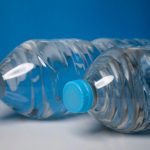
On a day-to-day basis, you don’t have to remove the water chamber to fill it. Just open the cap and pour in water to the fill line. Always use distilled water and make sure to change out the water before every use.
If the screen is faulty or the device won’t come out of standby mode, you can reset it by unplugging the machine and waiting for at least 20 seconds before plugging it back in.
If you’re able to turn the Luna G3 on but there’s no airflow, try taking a few deep breaths to see if that stimulates the airflow. Check that the power cord is plugged in properly and there are no problems with the power supply in your house.
If the air pressure doesn’t seem right, check for holes in the mask or tubing, a blocked air inlet, dirty filters, or improperly connected tubing.
If these troubleshooting steps fail to fix your problems, your device may be faulty or you might have accidentally changed the pressure settings. Contact your healthcare provider.

Written by
Danielle Pacheco, Contributing WriterDanielle is originally from Vancouver, BC, where she has spent many hours staring at her ceiling trying to fall asleep. She channels her frustration into researching sleep solutions and sharing insights with fellow insomniacs. Danielle spends her downtime trying out new recipes and working off the calories on the soccer field. Danielle studied the science of sleep with a degree in psychology at the University of British Columbia.