At a Glance
The ResMed AirSense 11 is a widely used CPAP machine, but some users experience issues such as mask leaks, dryness or nasal congestion, uncomfortable pressure levels, unusual noises, or problems with connectivity and data tracking. Many of these problems can be resolved by adjusting mask fit, using the heated humidifier, checking tubing and equipment for leaks, or reviewing settings with a healthcare provider if symptoms persist.
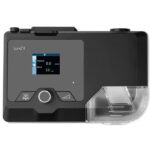
The ResMed AirSense 11 tops many of the internet’s Best CPAP Machine lists for good reason. It’s a user-friendly continuous positive airway pressure (CPAP) machine with plenty of integrated features designed to make therapy more comfortable and easier to stick with. However, like any kind of high-tech medical device, issues can arise with use.
Below, we’ll explain some of the most common problems users have with the AirSense 11 and offer troubleshooting tips. Some issues are simple, quick fixes, while others may require reaching out to ResMed’s customer support. We’ll let you know what you can fix yourself and what may require an expert.
Need a CPAP Prescription? Start Here.

our partner at sleepdoctor.com
10% off Home Sleep Tests
Buy Now“Truly grateful for this home sleep test. Fair pricing and improved my sleep!”
Dawn G. – Verified Tester

Simple and convenient
- Equipment delivered to your doorstep
- One overnight test in the comfort of your own bed

Uncover sleep apnea
- Quietly collects data while you sleep
- 98% effective in detecting sleep apnea

Affordable & ships fast
- Arrives in 2-4 business days
- In-lab sleep tests cost ~$3,000+ (this one’s $189), HSA/FSA eligible


ResMed AirSense 11 Troubleshooting
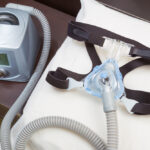
CPAP machines are complex and have multiple components, which can make it tricky to identify a problem’s cause. Luckily, many issues are straightforward and ResMed customer support can help with more intricate problems.
Mask Fit and Air Leaks
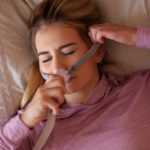
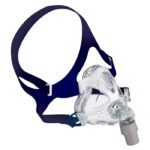
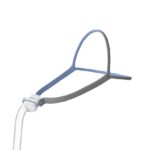
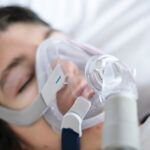
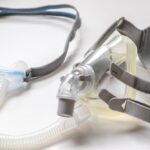
If you’re noticing leaks around your mask, the fit or style may be the problem. There are a few different types of CPAP masks, and the most common are:
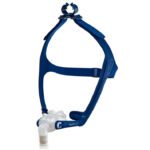
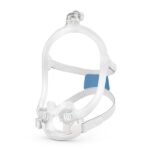
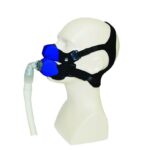
- Nasal masks: Cover the nose only and are best for back sleepers and side sleepers who don’t breathe through their mouth
- Nasal pillows: Sit at the nostrils and are a good option for side sleepers and stomach sleepers who breathe through their nose
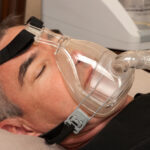
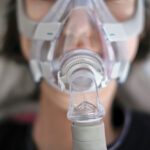
- Full face masks: Cover both the nose and mouth and work well for back sleepers and some side sleepers, especially those who need higher pressure or who breathe through their mouths
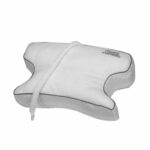
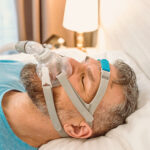
If your sleeping position interferes with your mask, you might find a CPAP pillow beneficial.
You may be tempted to overtighten your CPAP mask if it doesn’t fit correctly, but this can cause air to leak from the sides of the mask. Make sure that your mask cushion gets cleaned and replaced regularly. Tiny holes can develop in the silicone if you use your mask past its intended lifespan.
Leaks can also occur in tubing and at connection points. Check to make sure that your tubing is connected correctly to both your mask and CPAP machine. You can also check for leaks in the tubing itself by folding the silicone and looking for slices. Like masks, you should replace and clean your tubing on a regular basis.
If your mask fits correctly and you can’t identify any leaks, ResMed suggests switching to an AirFit F20, AirFit N20, or AirTouch N20 mask. ResMed’s MyAir app can also help identify potential leak- or mask-related issues.
Dryness or Nasal Congestion
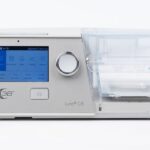
The ResMed AirSense 11 has an integrated heated humidifier. If you don’t use the humidifier and you’re experiencing dryness or congestion, consider adding it to your nightly routine. If you do use the humidifier and are still having trouble, there could be a leak within your mask, tubing, or the humidifier chamber. The chamber holds enough water for a night’s worth of use; if it’s running dry by the morning, it most likely has a leak.
Increasing the humidity settings could improve dryness or congestion. Moist air can make it easier to adhere to CPAP therapy and many users find it more comfortable on their breathing passages. A lack of humidity in your bedroom could also cause problems, consider sleeping without air conditioning or adding a bedroom humidifier.
Sometimes, there can be too much moisture inside of CPAP tubing, which causes a problem called rainout. Heated tubing helps ensure that moisture doesn’t collect or condense within the tubing. ResMed’s ClimateLineAir tubing is designed to keep air temperature and humidity levels consistent, which helps prevent rainout.
Pressure Discomfort
First, make sure that your pressure settings are the same as what’s prescribed by your physician. Pressure that’s too high or too low can interfere with your CPAP therapy and could cause discomfort or therapy interruptions.
The ResMed AirSense 11 has a ramp feature that can help make falling asleep more comfortable, especially for those using high pressure settings. When you go to bed, the ramp setting starts air pressure at a low setting that gradually ramps up as you fall asleep.
You may also want to check that you have the device’s expiratory pressure relief (EPR) feature turned on. It’s designed to make exhalations easier by lowering exhalation pressure so that you don’t have to breathe out against high pressure settings.
The Test Drive tutorial within the MyAir app can also be a helpful tool for learning what positive air pressure feels like. It’s especially worthwhile for those just starting CPAP therapy.
Noise or Unusual Sounds
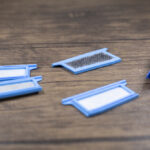
To fix a noisy CPAP machine, check that all the components are connected correctly and that any plastic is crack-free. Sometimes clogged air filters can cause machines to overwork and whine or whistle. Switch out your air filter regularly to prevent clogs. Vibrations could indicate that your machine isn’t level. Try switching to a different nightstand or put the machine on top of a hand towel to dampen vibrations.
Whistling or hissing noises can indicate that there’s a leak in your mask or tubing. Check your mask cushion, tubing, and connection points separately to isolate potential holes, slices, or misalignments that could be causing leak-related noises.
ResMed manufactures several masks aimed at combatting excess noise, including the AirFit P10, AirFit P30i, AirFit 30, AirFit N30, and AirFit N30i.

Connectivity Issues
The AirSense 11 is Bluetooth compatible and can connect to the MyAir app on your phone. The app stores your sleep data and offers advice for how to make CPAP therapy more comfortable and effective.
If your CPAP machine and phone aren’t connecting to each other, unplug the machine, uninstall the app from your phone, and turn your phone off. Then, turn everything back on, reinstall the app, and make sure the device isn’t in Airplane Mode. If you still have trouble, check that your phone software is up to date. Your cellular connection could also be the problem.
The AirSense 11 is designed to connect to cell service rather than WiFi. The touchscreen shows how many bars of data you have. If it shows limited service, you may need to move the machine to an area with more bars. If you live in an area without cell service, you can record and store your sleep data on an SD card.
If you’re traveling outside of the US, your device may not be able to connect to a cellular network. Likewise, if you bought your CPAP machine from another country, it may be configured to work within that country’s cellular network and not the country you’re actually in.
Data Tracking Questions
Data can be tracked and transmitted in two ways: via Bluetooth that connects to your phone and the MyAir app and through a physical SD card. The MyAir app tracks and stores up to 12 months of sleep data. You can download reports to send to your physician, but typically, providers have access to your sleep data through their own tools.
If you can’t access your MyAir data, look to make sure that your serial number is correctly recorded in the app and check your login credentials. Make sure Airplane Mode is turned off and look at the signal strength bars on the touchscreen to ensure the device has enough cell service.
If you don’t have cell service, don’t want to use the app, or live somewhere outside the US, you can track data using an SD card. There’s an SD card slot at the back of the machine. Insert the card to begin tracking and make sure not to remove it while the red light flashes. Your provider will likely ask you to mail the card or bring it to an appointment to review your sleep data.
Alerts and Error Messages
There are several alerts and error messages that can appear on the AirSense 11’s touchscreen — some are more critical than others. The device's user guide highlights what each of these mean.
There are alerts that detect mask leaks, poor cell connection, and humidifier heating problems.
Each of these alerts has an icon that explains the issue. “Tubing blocked” and “high leak detected” mean that the tubing can’t get air or that it’s not connected correctly. “Read-only card” indicates that your SD isn’t inserted correctly.
If you see either “error 4” or “system fault” messages, your machine may have overheated, the air filter could be blocked, or there’s water in the tubing. “Error X” simply means the device has an error. Turning it on and off could solve the problem, but if it doesn’t, your best bet is to contact ResMed’s customer support.
Setup and Maintenance Tips to Prevent Problems
It may seem simple, but cleaning your CPAP machine and regularly replacing its components can prevent problems. Masks, tubing, humidifier reservoirs, and connection points can all develop germs and bacteria if they aren’t cleaned. Luckily, cleaning only takes about 5 minutes, a tub filled with warm, soapy water, and a clean, dry towel.
Most insurance companies, including Medicare, support regular CPAP accessory replacement. ResMed also has its own guidelines indicating how often you should clean and replace CPAP components.
| CPAP Component | Cleaning Frequency | Replacement Frequency |
|---|---|---|
| Full Face Mask Cushions | Daily | Monthly |
| Nasal Pillows and Cushions | Daily | Twice monthly |
| Mask Headgear | Weekly | Every 6 months |
| Mask Frame | Weekly | Every 3 months |
| Tubing | Weekly | Every 3 months |
| Humidifier Reservoir | Weekly | Every 6 months |
| Air Filter | Weekly | Monthly (disposable) or every 6 months (reusable) |
It’s important to follow ResMed’s guidelines; failing to do so could compromise your machine or void its warranty.
Warranty and Support Options
The ResMed AirSense 11 carries a 2-year warranty. Only the original device owner can make warranty claims, and the limited warranty doesn’t cover machines that have been damaged by improper use, smoke, unauthorized repairs, water, or ozone cleaners.
If you suspect that you have a faulty machine, you can contact ResMed’s consumer support at 1-800-424-0737 or use the company’s AI-powered chatbot, Dawn. ResMed may repair or replace your AirSense 11, depending on the issue. ResMed’s support page also has downloadable manuals in case you’ve lost yours.
Frequently Asked Questions
The AirSense 11 has two humidity options: auto or manual. You can access both from the Climate Control panel by pressing the settings option on the home screen. “Auto” sets the temperature at 27 degrees celsius (about 80 degrees Fahrenheit) and humidity at 85%. The manual option allows you to choose your own temperature and humidity. If there are water droplets in your tubing, consider increasing the tube temperature and lowering the humidity.
Your physician has prescribed specific pressure settings that shouldn’t be changed. Consider using the ramp feature if you’re having trouble falling asleep or turn on the EPR option, which lowers the pressure during exhalation to make therapy more comfortable. If you feel that your pressure settings are incorrect, you should contact your physician.
To replace your AirSense 11’s air filter, open the cover located on the bottom righthand side of the machine. Pull the cover down, remove the old filter, and place a new filter on the cover. Then, close the cover.
The ResMed AirSense 11 has a power button on the top of the machine. After powering down, the machine may still make some noise as it cools off. If you’re having trouble turning the device on, make sure the cords are connected correctly.

Written by
Cassandra Burns, Contributing WriterCassandra is a health writer who writes about sleep products and reads emerging research to develop science-based articles that help demystify the connection between health and sleep. She's happy to report that she sleeps well most nights, which is probably thanks to her energetic dog and her other work managing a family-owned whitewater rafting business in Upstate New York.