At a Glance
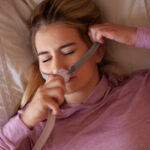
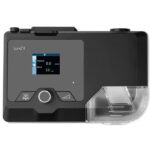
Ramp time is a comfort setting on CPAP machines that allows you to start therapy at a lower pressure setting that gradually increases to your full, prescribed pressure by the time you fall asleep. Using a ramp option can make it easier to fall asleep, and it’s especially helpful for new CPAP users and those who are sensitive to pressure. Most machines with this feature allow you to set your ramp duration between 5 and 45 minutes in 5-minute increments.
Most modern CPAP machines have comfort features aimed at making it easier to stick with CPAP therapy. Humidifiers, heated tubing, ergonomic masks, and auto-pressure settings can all help make using a CPAP machine more comfortable. Ramp time is one of these comfort features that’s an excellent option for new CPAP users and those who find their pressure settings uncomfortable as they fall asleep.
Below, we’ll cover what ramp time is, how it works, when to use it, and how to adjust the setting to improve comfort and support consistent CPAP use.
What Is Ramp Time on a CPAP Machine?
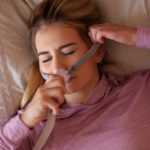
Ramp time is an option on some CPAP machines that lets you start therapy at a lower pressure that gradually increases, or “ramps” up, to your prescribed pressure settings. Some people, especially those with high pressure settings, find it difficult to exhale against the pressurized air coming in through their mask.
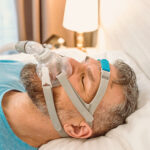
Starting therapy at a lower setting can make it easier to fall asleep, because pressure settings are lower while you’re awake. Ideally, by the time your CPAP machine reaches its prescribed pressure setting, you’ll be asleep.
Need a CPAP Prescription? Start Here.

our partner at sleepdoctor.com
10% off Home Sleep Tests
Buy Now“Truly grateful for this home sleep test. Fair pricing and improved my sleep!”
Dawn G. – Verified Tester

Simple and convenient
- Equipment delivered to your doorstep
- One overnight test in the comfort of your own bed

Uncover sleep apnea
- Quietly collects data while you sleep
- 98% effective in detecting sleep apnea

Affordable & ships fast
- Arrives in 2-4 business days
- In-lab sleep tests cost ~$3,000+ (this one’s $189), HSA/FSA eligible


Ramp Time vs. AutoRamp
Ramp time is a pre-chosen setting that’s fixed. When you set your ramp options, you choose the amount of time — whether that’s 5 minutes or 45 minutes — your machine will take to ramp up to its prescribed pressure setting. To make changes, you’ll need to adjust the time manually; it doesn’t auto-adjust.
AutoRamp is a ramp setting that’s unique to ResMed PAP machines. Like traditional ramp time settings, it starts at a low pressure setting that increases gradually to your full prescribed setting. However, AutoRamp monitors your breathing in real time and ramps up pressure once the machine detects that you’ve fallen asleep. Only certain ResMed machines have this feature.
CPAP vs. APAP vs. BiPAP
Continuous positive airway pressure is, just as it sounds, continuous. The pressure doesn’t adjust with inhales or exhales. Automatic positive airway pressure (APAP) machines have real-time monitoring that adjusts pressure up or down based on your breathing. Many modern PAP machines are actually APAP machines, though they may be known or marketed as CPAP or auto-CPAP machines.
Bi-level positive airway pressure (BiPAP) machines have different pressure settings for inhalation and exhalation. People who have high prescribed pressure settings often use BiPAP machines because it’s more comfortable to breathe against low pressure than high pressure. If CPAP adherence is tough for you, your doctor may switch you to a BiPAP machine.
You can find ramp options on all three types of PAP machines.
What Is a Typical Ramp Time Setting?
Ramp time options vary by machine and manufacturer. There are some outliers, but they generally have a range between 5 minutes and 45 minutes. Most often, you can increase or decrease ramp times in 5-minute increments.
There’s no one-size-fits-all ramp setting. Some people may only take 5 minutes to fall asleep, while others need nearly an hour. Additionally, some CPAP users can tolerate gentle pressure increases as they fall asleep, while others need low levels until they’re completely asleep. Your individual preferences and sleep habits make a big impact on what ramp setting is best for you.
How to Determine Your Optimal Ramp Settings
If you’re using a ResMed machine with the option, you can use the AutoRamp setting, which ramps up pressure once the machine detects that you’ve fallen asleep. In most cases though, you’ll need to choose a ramp duration ahead of time. Determining the best option can take some experimenting, but there are a few factors to consider that may help.
- Start long: It may be best to begin with a longer ramp setting than you think you might need and work backward, especially if you’re a new CPAP user. This gives you more time, rather than less, to fall asleep before your full pressure settings begin.
- Use data: Many modern CPAP machines have companion apps that offer detailed information on your sleep and breathing that can help you determine how long it typically takes you to fall asleep. Some may even have recommended ramp settings based on your data.
- Consult your doctor: Your physician or a sleep specialist can help you choose an option that works for your individual medical needs.


Who Should Use Ramp Time on CPAP?
Ramp time is a comfort feature that’s proven helpful for many people who use CPAP machines, but it’s especially beneficial for people who are sensitive to pressure and those who are just beginning CPAP therapy for the first time.
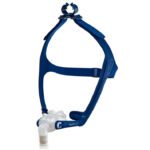
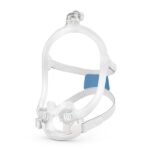
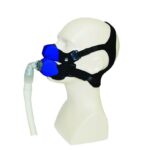
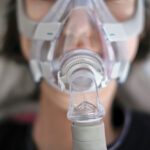
There are many accessories and variables involved in starting CPAP therapy, which can make it a little intimidating. It may take time to find the best combination of CPAP mask and accessories that are comfortable enough to sleep in. Ramp time can help combat discomfort, especially when getting used to therapy for the first time.
People who need high pressure settings may find ramp time particularly worthwhile, since the feature will let them start off with a lower, more comfortable setting than what they build up to by the time they fall asleep.
Ramp time is also useful for people with partners who are particularly sensitive to noise. Though most CPAP machines are quieter than those from decades past, the sound can still be distracting for some. A long ramp time can help extend the amount of time your partner has to fall asleep while the machine is at its quietest.
How Do You Adjust Ramp Time on Your CPAP Machine?
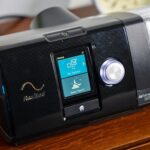
Every CPAP machine is going to be a little different, depending on its model and manufacturer. Some have a built-in interface that lets you adjust settings on a touch screen, while others require making changes on the machine’s corresponding app. That said, there are some general commonalities between machines and their ramp times.
- Locate the comfort settings option. It may be located on the main menu or within a setup menu.
- Choose ramp time and adjust the minutes to the duration you need. Typically, these change by increments of 5 minutes or so. Some machines may also have a simple “On/Off” switch that turns on AutoRamp.
- Put on your mask and hit the machine’s start button to begin therapy.
Keep in mind that you should never adjust your final pressure settings. Physicians choose your prescribed settings based on the results of your sleep test, it’s important to keep them at their prescribed level. If you’re unsure of how to adjust your ramp settings, you can always contact the manufacturer’s customer service line or work with your healthcare provider.

Written by
Cassandra Burns, Contributing WriterCassandra is a health writer who writes about sleep products and reads emerging research to develop science-based articles that help demystify the connection between health and sleep. She's happy to report that she sleeps well most nights, which is probably thanks to her energetic dog and her other work managing a family-owned whitewater rafting business in Upstate New York.