At a Glance
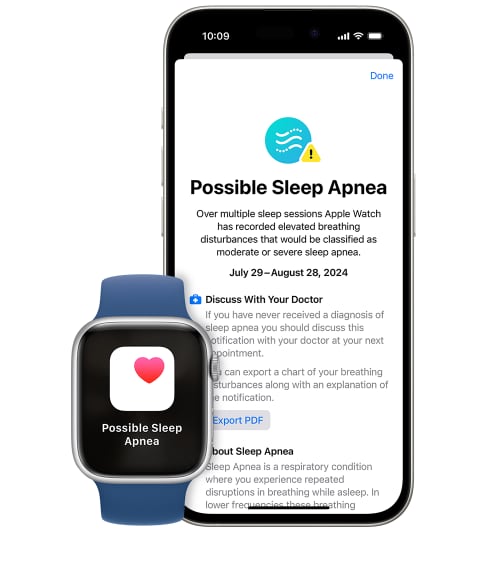
Some newer Apple Watch models can detect signs of possible sleep apnea by tracking breathing disturbances during sleep using motion, respiratory patterns, and other health data. If the watch detects repeated abnormal breathing patterns over time, it may send a notification suggesting you speak with a doctor, though it cannot diagnose sleep apnea on its own.
Over the years I’ve had a strange, unexplained issue with my sleep: I’d often wake up with my heart racing, feeling like I couldn’t catch my breath. It was terrifying, and I couldn’t figure out why it kept happening.
My wife suspected it could be sleep apnea and wanted me to get tested. I was hesitant. My dad had gone through a couple sleep studies and told me about his unpleasant experiences — being hooked up to wires, wearing a bulky mask, trying to sleep with monitors beeping around him. It sounded like a whole ordeal.
But I learned recently that my Apple Watch could detect breathing disturbances in my sleep (and in fact, the FDA approved it to do so in September 2024). Apple Watch's sleep apnea detection feature offers non-invasive, at-home monitoring using sensors to track blood oxygen levels, heart rate, and motion.
In theory, that makes it a comfortable, easy, effective tool that integrates with the Health app, providing a detailed readout for both users and healthcare providers to use for decision-making. It’s great for people who suspect they have sleep apnea and, like me, dread going to a clinic for a sleep test.
So, with little to lose — and potentially a lot to gain — I gave it a try.
Think You May Have Sleep Apnea? Try an At-Home Test

our partner at sleepdoctor.com
10% off Home Sleep Tests
Buy Now“Truly grateful for this home sleep test. Fair pricing and improved my sleep!”
Dawn G. – Verified Tester

Simple and convenient
- Equipment delivered to your doorstep
- One overnight test in the comfort of your own bed

Uncover sleep apnea
- Quietly collects data while you sleep
- 98% effective in detecting sleep apnea

Affordable & ships fast
- Arrives in 2-4 business days
- In-lab sleep tests cost ~$3,000+ (this one’s $189), HSA/FSA eligible


What Is Sleep Apnea, and How Can Apple Watch Help?
Sleep apnea is a sleep disorder characterized by frequent breathing disruptions (apneas) or periods of very shallow breathing during sleep (hypopneas). In obstructive sleep apnea (OSA), the upper airway becomes narrow or blocked, often because of relaxed muscles and tissues in the throat. With central sleep apnea, the brain fails to properly regulate signals for breathing. Both types of sleep apnea cause fragmented sleep and can contribute to other health problems.
It affects more than 25 million American adults, with many cases (up to 80%, according to the American Academy of Sleep Medicine) going undiagnosed. Symptoms include snoring, daytime fatigue, and poor concentration, but its subtlety complicates diagnosis.
Traditional testing, or polysomnography, which measures brain waves, sleep stages, respiration, and oxygen saturation in a lab setting overnight, can be costly, and deters many people from seeking help. Going without treatment, however, increases the risks for heart disease, diabetes, and stroke.
Wearables like the Apple Watch now monitor health metrics beyond fitness, through sensors that track oxygen levels, heart rate, and movement. Because this approach is much less invasive, it’s perfect for people who dread the in-clinic experience but still want answers. And since I have a few family members who have sleep apnea and heart conditions, I wanted to get ahead of the problem.
How to Set Up Sleep Apnea Detection on Apple Watch
Setting up the sleep apnea detection feature on my Apple Watch was seamless and user-friendly. After pairing the watch with my iPhone, I opened the Health app and found my Health Checklist. From there, I followed the instructions to enable sleep apnea notifications by answering a few questions about my health.
Out of the box, everything was up to date, so I didn’t have to worry about any watchOS or app updates. I found the instructions were clear and easy-to-follow. The sleep app on the watch displays only the key highlights, which makes it easy to quickly check in on my data. If I want a more detailed breakdown, I can find it in the Health app on my iPhone.
My Experience Testing Apple Watch for Sleep Apnea
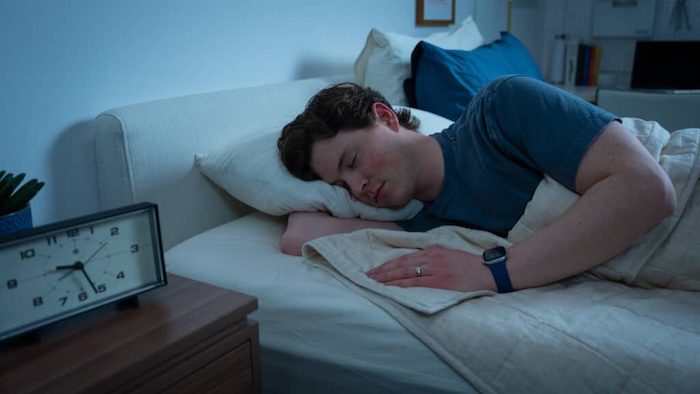
Over the course of 25 days, using the feature felt effortless. The integration with my nightly routine was seamless: All I had to do was ensure the watch was charged enough to make it through the night, and it quickly became a part of my evening routine.
As someone who typically doesn’t wear accessories to bed, I was pleasantly surprised by how comfortable it was to sleep in. I hardly noticed it! Compared to the wires and monitors in a clinic setting, this method was a no-brainer.
Motion sensors in the watch regulate the Breathing Disturbances feature, calculating your number of breaths per minute, based on your movements. Newer models have a blood oxygen monitor, which uses pulse oximetry to estimate the percentage of oxygen present in the bloodstream.
The Apple Watch only takes occasional measurements of blood oxygen levels throughout the night, and only when your arm is in the correct position. However, frequent dips in blood oxygen levels or low respiration rates could be a sign of sleep apnea. Watch users are notified of breathing disturbances if they show consistent signs of sleep apnea.
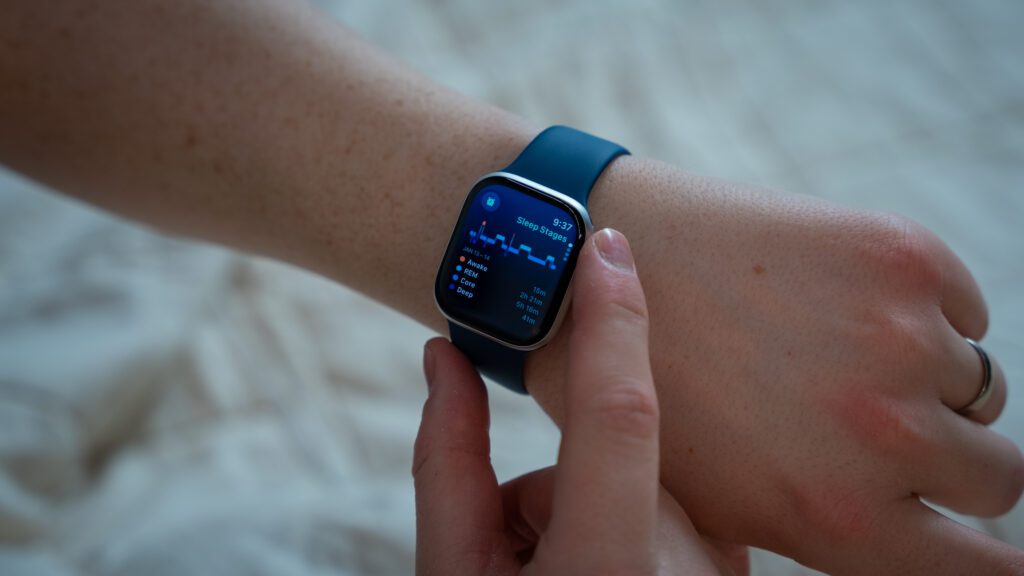
The data provided by the watch was insightful and easy to digest. It tracked key metrics like my heart rate, breathing rate, and sleep stages, and the charts were easy to interpret. I could take a deeper dive via the Health app, which offered a clear breakdown of the highlights.
The app also provided helpful resources (like “What Is Sleep Apnea?,” “Sleep Apnea Notifications,” and “Understanding Sleep Stages”) which, paired with the charts, gave me a clearer understanding of my sleep patterns and potential apnea events.
Overall, the feature offered both clarity and usefulness, and helped me gain a better understanding of my sleep health in a way that felt accessible and nonintrusive. After nearly a month of use, the Watch did alert me to a possibility of sleep apnea, so I followed up by taking a home sleep test, which confirmed a mild sleep apnea diagnosis.
How Accurate Is Apple Watch for Sleep Apnea?
There are a range of consumer sleep trackers and medical devices aimed at detecting sleep apnea, each with its own strengths and limitations. Here’s a comparison of popular options:
Apple Watch
- Accuracy: high for detecting sleep irregularities and potential apnea symptoms, but not diagnostic
- Accessibility: very accessible, especially for existing Apple ecosystem users
- Cost: from $799
- Convenience: comfortable for daily wear, tracks multiple health metrics, and integrates with the Health app
- Limitations: relies on nightly charging, not FDA-approved for diagnosis, focuses on early detection rather than medical confirmation, and only available in Series 9 or later or Ultra 2 and with the latest watchOS
Home Sleep Test (HST)
- Accuracy: medical-grade diagnostic accuracy, highly precise for detecting obstructive sleep apnea
- Accessibility: requires a prescription and a virtual consultation
- Cost: ranges from $150 to $500 per test
- Convenience: allows testing in the comfort of your home without needing a clinic visit
- Limitations: one-time-use device and requires follow-up with a healthcare provider
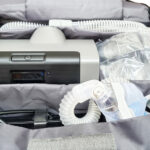
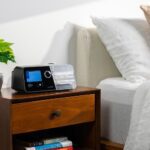
CPAP Machine Monitors
- Accuracy: very high, as they monitor breathing patterns during treatment
- Accessibility: only available to users who have already been diagnosed with sleep apnea and prescribed a CPAP machine
- Cost: $500 to $1,200
- Convenience: integrated into therapy, providing real-time compliance and effectiveness monitoring
- Limitations: not useful for undiagnosed people and not intended for detection
Withings Sleep Analyzer
- Accuracy: high, validated for detecting sleep disturbances, including some forms of sleep apnea
- Accessibility: easy to set up and use without requiring a wearable device
- Cost: about $200
- Convenience: non-invasive under-mattress design, automatic operation, no need to wear anything.
- Limitations: limited to tracking obstructive sleep apnea
Oura Ring
- Accuracy: moderate; focuses on general sleep trends rather than specific apnea detection
- Accessibility: very accessible due to its compact size and finger-worn design
- Cost: $349 to $499
- Convenience: comfortable to wear continuously and tracks multiple health metrics beyond sleep
- Limitations: not designed for apnea detection; insights may not be precise enough for medical purposes
Fitbit Sense/Versa
- Accuracy: moderate; detects disruptions in sleep patterns but lacks diagnostic precision
- Accessibility: highly accessible and user-friendly for general consumers
- Cost: $200 to $250
- Convenience: comfortable for daily wear and integrates with Fitbit’s wellness ecosystem
- Limitations: limited apnea-specific insights and prone to false positives
To sum up: For medical-grade accuracy, options like a HST and CPAP machine monitors are tops, but wearables like Apple Watch, Withings Sleep Analyzer, and Oura Ring balance convenience and cost-effectiveness, making them ideal for early detection and trend monitoring. Pick the one that's best for you based on your priorities and your lifestyle.
Who Can Benefit From the Apple Watch’s Sleep Apnea Feature?
The Apple Watch’s sleep apnea feature might be right for you if you:
- Suspect sleep apnea: People who experience symptoms such as loud snoring, excessive daytime fatigue, or restless sleep but have not sought medical help may find the Apple Watch to be an accessible way to monitor potential issues so they can take the first step toward diagnosis.
- Are tech-savvy: If you already own and love wearable technology (or already have an Apple Watch), you'll find it easy to integrate into your routine. You can track all your metrics in the Apple Health ecosystem.
- Have certain risk factors: People with risk factors for sleep apnea, such as obesity, age, or a family history of the condition, may use the feature to identify early warning signs and follow up with a care provider.
- Love wearables and health tech: People who enjoy monitoring their personal health data and use wearables to optimize their wellbeing can leverage this feature as part of a broader strategy to improve sleep quality and overall health.
- Are a busy professional or parent: People who tend to overlook sleep health due to rigorous demands can use the Apple Watch to stay keyed into any potential issues, without needing to schedule a clinic visit.
Apple Watch for Sleep Apnea: My Verdict
The Apple Watch offers a convenient, non-invasive solution for detecting sleep apnea, making it accessible for users who avoid traditional sleep studies. It tracks metrics to identify episodes in real-time and provide actionable insights through its integration with the Health app.
While it’s comfortable and easy to wear, it isn't FDA-approved for diagnostic purposes, only early detection. Plus, it requires nightly charging and is less accurate than medical-grade alternatives like home sleep tests.
I’d recommend the Apple Watch for sleep apnea detection as a great first step. Its ease of use and ability to identify issues at home can help you get the insight you need to seek further medical evaluation. (It shouldn’t replace a full diagnosis from a healthcare provider.)
Future versions of the Apple Watch will likely evolve to be more accurate, and advancements in sleep tech could also provide continuous monitoring throughout the day to improve overall health management.
If you think you might have sleep apnea, consider getting a Home Sleep Test to get a clearer understanding of your condition.
Medical Disclaimer: This content is for informational purposes and does not constitute medical advice. Please consult a health care provider prior to starting a new treatment or making changes to your treatment plan.
Frequently Asked Questions
The Apple Watch's Breathing Disturbances feature monitors your respiratory patterns to determine if your breathing is “elevated” or “not elevated.” Consistent “elevated” breathing is a key indicator for sleep apnea. You'll receive a report every 30 days with a visual representation of your nightly breathing patterns during that time.
People with sleep apnea tend to have disordered sleep architecture, meaning they spend more or less time than the average person in the different stages of sleep. They also usually wake up frequently due to lapses in breathing and may have an unusual respiratory rate compared to the average person.
If your Apple Watch indicates that you are experiencing any of these symptoms, it’s worth speaking to your doctor about your concerns.
There are currently no smartphone apps available to the general public that are FDA-approved for the detection or diagnosis of sleep apnea. Those that have received FDA clearance for pre-screening people suspected of having sleep apnea, such as Drowzle and SleepCheckRx, are only available for use with a prescription.
Some companies claim their apps help detect sleep apnea by monitoring your snoring or using your phone’s accelerometer to track your sleep. However, the technology cannot be relied upon for sleep apnea detection. If you are concerned about sleep apnea, your doctor is the best source for information and diagnosis.
Many wearables feature tools that monitor breathing patterns, but only two tracking devices available to the general public are FDA-approved to detect sleep apnea. In February 2024, the Samsung Galaxy Watch's Health Monitor app became the first smartphone app to receive FDA approval for detecting sleep apnea. Apple received FDA approval for the Apple Watch's Breathing Disturbances feature in September 2024.
Although the FDA has approved other wearables for sleep apnea detection and diagnosis, these at-home sleep apnea tests are only available with a doctor’s prescription. Once your doctor receives the results from the at-home test, they can make a diagnosis and determine the correct sleep apnea treatment.
Some at-home sleep apnea testing tools resemble an Apple Watch, while others involve multiple sensors. If your doctor believes you’re eligible for an at-home test, they will direct you to the test that is best for your needs.

Still have questions?
Sleep apnea products can be confusing. If you need individualized assistance, post your question to the Sleep Doctor forum.

Written by
Jordan Lehman, Contributing WriterJordan has recently been diagnosed with sleep apnea and is on a journey to find the best solution for him. He has tested several at-home sleep tests and CPAP alternatives. He lives in Reno with his wife and son.